Toggle Nav
 Inspire.
Create.
Stitch.
Inspire.
Create.
Stitch.
Inspire.
Create.
Stitch.
Search
Inspire.
Create.
Stitch.
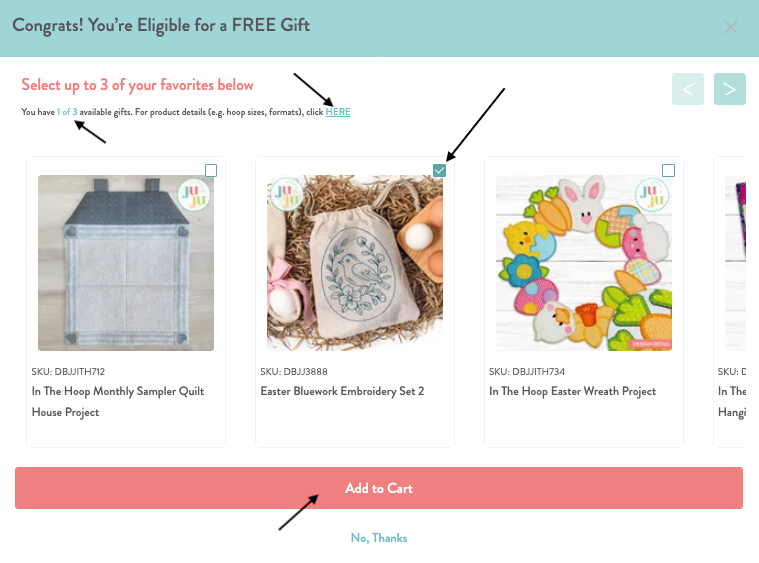
If you add $30 (USD) or more to your cart, a pop-up menu will appear that allows you to select the specified number of free gifts. The pop-up will display the total number of free gifts allowed in the current promotion, and the number currently selected or added to your cart. There is a checkbox to add each item in the upper right corner of the product image. Please check to see you have selected the items and you have clicked "Add to Cart". Once products have been added to your cart, they will be removed the pop-up. Additionally, we provide a product details page with finished product images for any free gift currently available to help you decide before checking out. Simply click the "HERE" link in the pop-up to learn more.